Collaborator Management Guide
Add team members, assign roles, and control permissions for your events.
Overview
Add team members to help manage your events.
Assign roles with specific permissions so each person has the right level of access.
Plan-based limits control how many collaborators you can add.
Collaborator Types
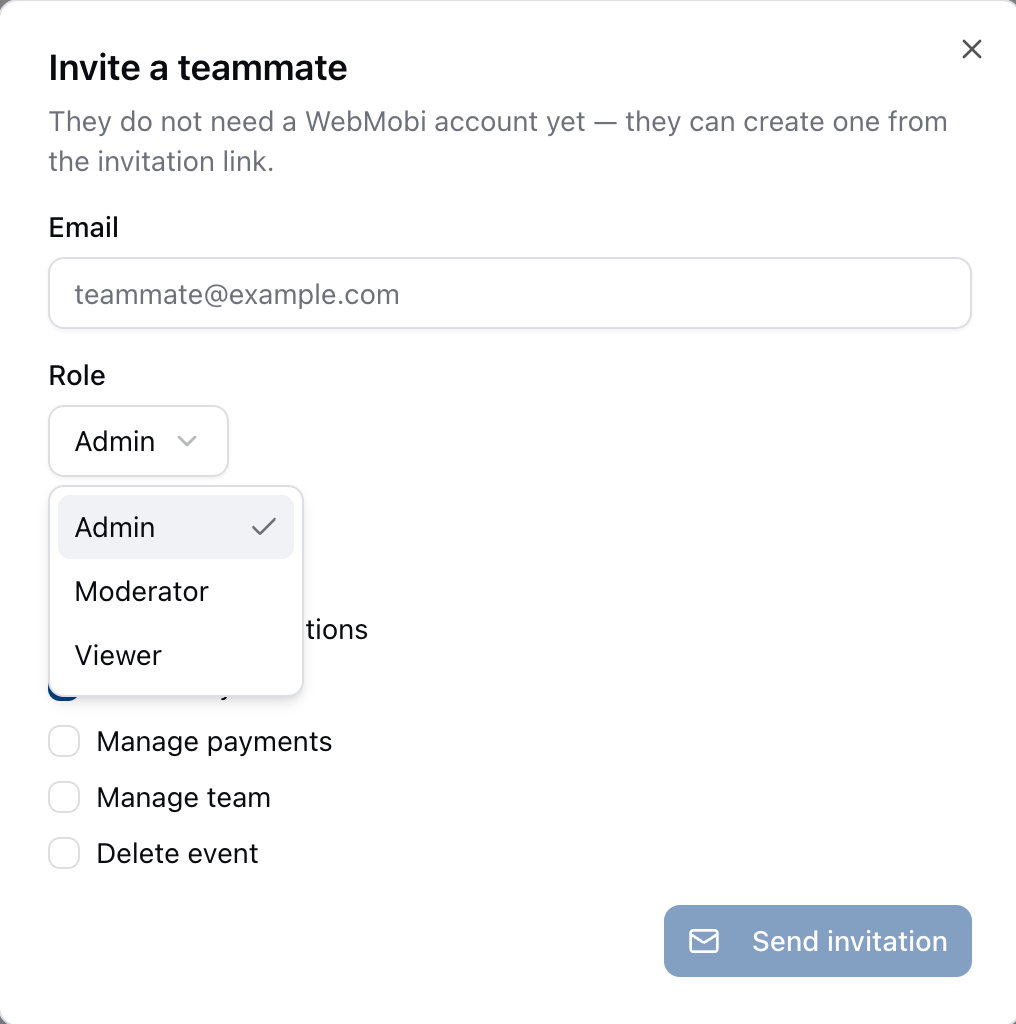
Admin
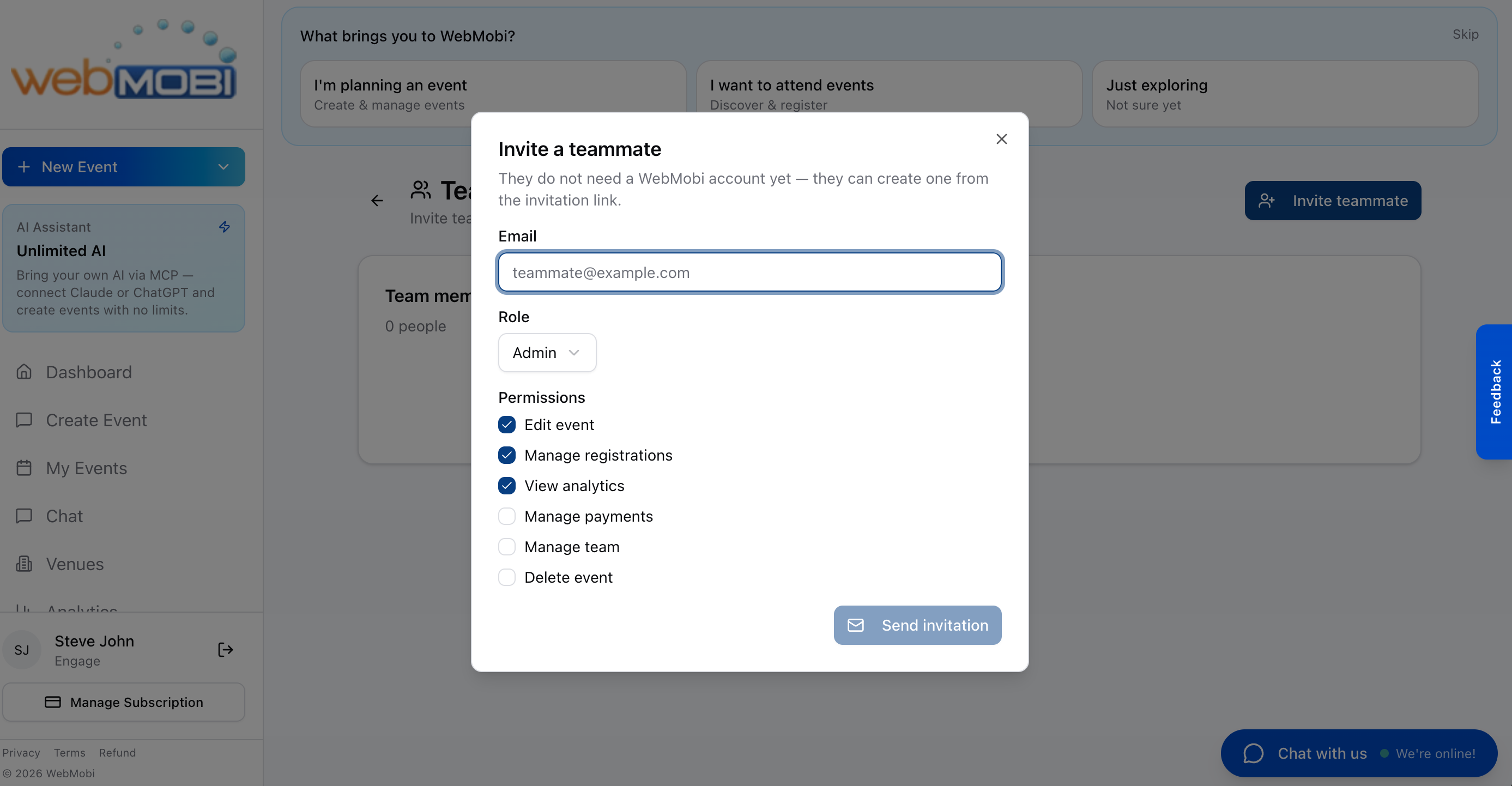
Starts with Edit event, Manage registrations and View analytics ticked. Every permission is a separate checkbox, so you can add or remove any of them.
Best for: Co-organizers running the event with you
Moderator
Aimed at door and session staff. Manage registrations covers scanning attendees in and out.
Best for: Venue staff and volunteers on the door
Viewer
Read-only by default. Tick View analytics for aggregate numbers without exposing attendee contact details.
Best for: Stakeholders who only need to see how it is going
Plan Limits
How many collaborators you can add depends on your plan.
How to Invite Collaborators
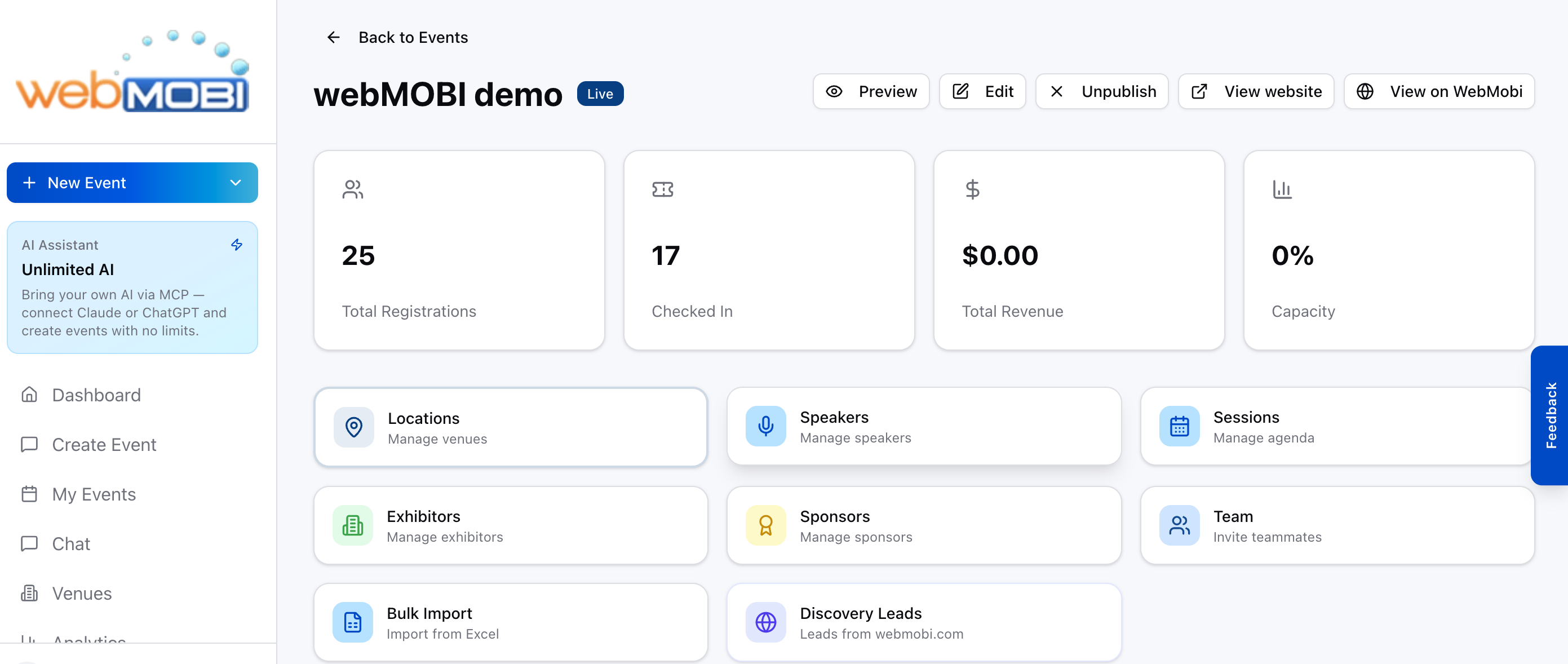
Open your event and click the Team tile
Dashboard → your event → the purple Team tile, "Invite teammates". It sits in the grid beside Speakers, Sessions and Sponsors.
Click "Invite teammate" and enter their email
They do not need a WebMobi account. If they have never used WebMobi, the invitation is held against their email address and binds to them the moment they sign up with it.
Pick a role, then adjust the permissions
Admin, Moderator or Viewer sets the starting ticks. The six checkboxes underneath are what actually decides access, and you can change any of them.
Click "Send invitation"
They appear on the team list as Invited, with their email. They get access only once they accept — a pending invitation grants nothing.
Managing Permissions
- Click the edit (pencil) icon next to a collaborator to modify their permissions.
- Toggle individual permissions: Dashboard, Check-in, Content, Analytics, Settings.
- Changing the role resets permissions to defaults for that role.
- Click "Save Changes" to apply your updates.
Removing Collaborators
- Click the trash icon next to the collaborator and confirm the removal.
- The organization owner cannot be removed.
- Removed users lose access immediately.
Permission Reference
| Permission | What it controls |
|---|---|
| Edit event | Sessions, speakers, sponsors, exhibitors, branding and media. |
| Manage registrations | Import attendees, download badges and QR codes, and scan people in and out. This is the one door staff need. |
| View analytics | Attendance numbers and aggregate reports. Exports that contain attendee contact details need Manage registrations instead. |
| Manage payments | Gateway credentials and the test/live switch — which decides whether a buyer's card is really charged. Grant it sparingly. |
| Manage team | Invite teammates and change what they can do. Nobody can raise their own permissions, including with this ticked. |
| Delete event | Delete the event, and nothing else. |